Thermostat wire colors and terminal letters: what R, C, W, Y, G and O/B control, which colours a maker actually prints, and why the letter wins
Google Nest Help: R is power, C common, W heat, Y cooling, G fan, O/B heat pump changeover. Colour is a habit: Google prints only blue for C and orange for O/B.
- Verified
- Updated
- 7 min read
- 7 sources
Shop links on this page are affiliate links: a purchase may earn us a commission at no extra cost to you. Disclosure
Short answer
Thermostat terminal letters, not wire colours, say what each wire does. Google’s Nest Help page defines them: R (Rh and Rc on a two-transformer system) is power, C is the common that only supplies constant power to the thermostat, W or W1 is heating, Y or Y1 is cooling (the compressor on a heat pump), G is the fan, O/B controls a heat pump’s changeover valve, W2 and Y2 are second stages, AUX and E are auxiliary and emergency heat. Colour is a habit, not a standard: Google prints that thermostat wire colours “often don’t adhere to industry standards” and says not to rely on colour alone. Of the maker pages read, Google prints only 3 colours: blue for C, orange for O/B, brown as a likely heat pump wire. Resideo’s adapter guide sets the order: power off, photograph the board, sticker every wire with its letter, disconnect only labelled wires. A thermostat labelled 120 or 240 VAC is line voltage and needs a different thermostat.
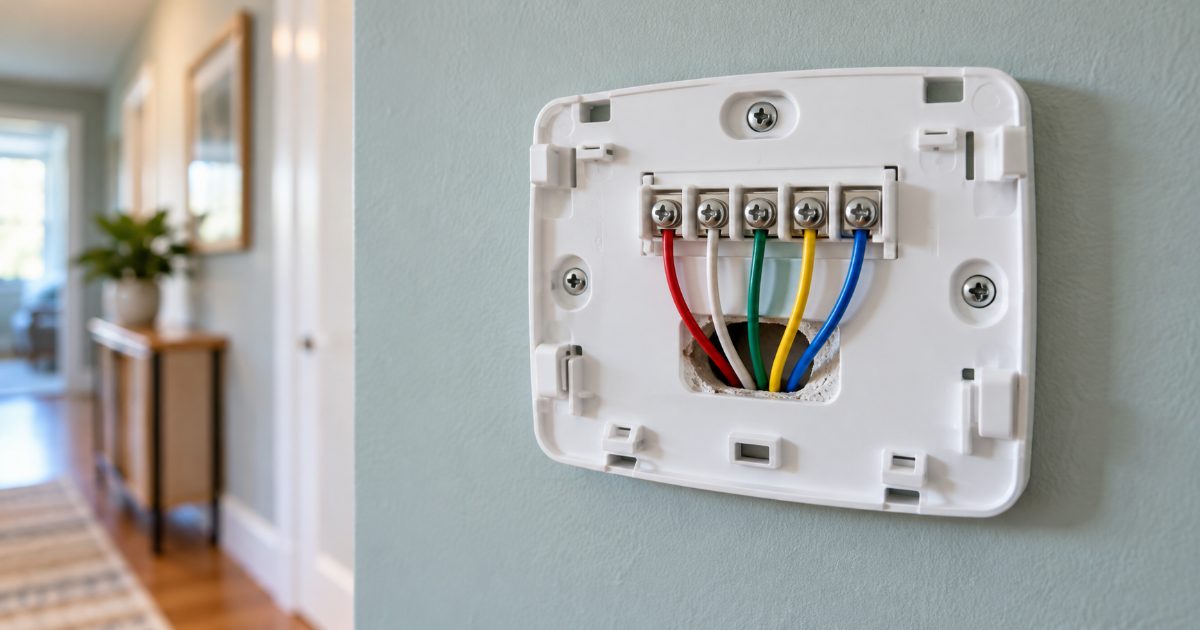
Do not trust the colours: the red wire may not be R and the blue one may not be C, so read the letter beside the screw, photograph it, then pick up a screwdriver.
What does each terminal letter control?
The table is Google’s definition of each terminal from its Identify a thermostat wire page, with Resideo’s wiring module table (69-2065EFS) and C-Wire Adapter guide (33-00618) where they print the same terminal. The colour column carries a colour only where a maker page opened for this page prints one; none prints a colour for R, W, Y or G.
| Terminal | What it controls (Google Nest Help) | Colour a maker prints | Note |
|---|---|---|---|
| R | Power wire for the heating and cooling system | none printed on the pages opened | Resideo module table: R = 24V |
| Rh | Heating power when paired with Rc; both heating and cooling when alone | none printed | Two-transformer systems only |
| Rc | Cooling power when paired with Rh; both when alone | none printed | Resideo’s wire stickers read “R or Rc” |
| C | Constant power to the thermostat; controls no heating or cooling function | Blue: Google says common wires are typically blue | Resideo: C might be labelled B on certain thermostats; module table: 24V Common |
| W / W1 | Heating | none printed | Resideo: wires to the W (heat relay) terminal at the equipment |
| W2 | Second-stage heat, auxiliary heat, or the furnace in a dual-fuel system | none printed | Meaning depends on the system |
| Y / Y1 | Cooling; on a heat pump, the compressor | none printed | Resideo module table: cooling (compressor) relay |
| Y2 | Second-stage cooling, or second compressor stage on a heat pump | none printed | Two-stage equipment only |
| G / G1 | Fan | none printed | Resideo module table: fan relay |
| O/B | Heat pump changeover valve | Orange: Google says O/B wires are typically orange; a brown wire is most likely a heat pump wire for O/B | Resideo: matches O or B at the equipment, not W |
| AUX | Auxiliary heat on a heat pump | none printed | Heat pumps only |
| E | Emergency heat on or off | none printed | Heat pumps only |
If a smart thermostat is on the way, the best smart thermostat comparison starts from these letters, and the C wire guide covers an empty C terminal. Google’s C wire page says why that one matters: the C wire “doesn’t control heating or cooling functions. It only provides constant power to your thermostat.”
Why can you not trust the wire colour?
Because nobody enforces it. Google’s Nest Help page states that thermostat wire colours “often don’t adhere to industry standards, but they can sometimes provide a clue in certain situations”, and its compatibility page says to “enter which connectors have a wire and ignore the color of the wires”. The connector label is what counts.
The research for this page found the same. Sensi’s and Resideo’s wire-colour support articles could not be opened, and the only red-R, white-W, yellow-Y, green-G tables found were on installer and retailer blogs, which this site does not cite. The convention is a habit; no maker document read today prints it.
Every maker’s procedure is built around that. Resideo’s adapter guide has you photograph the control board wires with the terminal labels in frame, then sticker each wire G, R or Rc, W or W1, Y or Y1 before disconnecting only those wires. ecobee’s Essential installation page has you enter each wire in the app and apply its green labels before loosening a terminal.
What is different on a heat pump?
A heat pump adds the changeover valve and backup heat, which is where the lettering gets confusing. Google’s definitions: Y controls the compressor rather than cooling alone, O/B controls the changeover valve, Y2 is the second compressor stage, AUX is auxiliary heat, and E turns emergency heat on or off. W2 can mean second-stage heat, auxiliary heat, or the furnace in a dual-fuel system, depending on the equipment.
O/B is also the one place Google prints colour guidance beyond C: O/B wires are “typically orange”, and a brown wire is “most likely a heat pump wire” for O/B. Resideo’s footnote closes the loop: the wire from O/B on the old thermostat matches O or B at the equipment, not W.
One more trap: Resideo’s guide says the common wire might be labelled B rather than C on certain thermostats, and Google says a blue B wire should most likely go to C. On a heat pump, B can instead be the changeover terminal, so read the old thermostat’s manual first.
Is a 120 or 240 V thermostat the same thing?
No, and the label on the old thermostat decides it. Google’s compatibility page says Nest thermostats are built for 24 V systems and need at least 20 volts; high-voltage thermostats are “usually labeled 110, 115, 120 or 240 VAC”, typically control electric baseboard heat, and are incompatible, though a professional can sometimes fit a step-down transformer. Google also lists millivolt heaters, solid fuel (coal, wood chips, pellets, biomass) and proprietary labels such as 1, 2, 3 or A, B, C as incompatible.
The letters on this page describe low-voltage control wiring; a line-voltage thermostat switches the heater’s supply current directly, a different job with a different thermostat. No maker’s line-voltage installation guide could be opened for this page, so Google’s is the only maker wording here. ecobee’s Power Extender Kit page draws the same line from the accessory side: 24 VAC systems with at least four wires, not millivolt, high-voltage, dual transformer, fan coil or communicating systems.
Before you buy anything
Do not order a thermostat from a wire count done from memory. Power off, pull the old thermostat, photograph the terminals and write down the letters that carry a wire, including any spare tucked into the wall. Those letters are what the makers’ compatibility checkers ask for. If the label reads 120 or 240 VAC, this is the wrong aisle. If the letters check out, the thermostat setback savings calculator shows what a schedule is worth, and the smart thermostat deal check says whether the sale badge is real.
What should you do first?
- Turn the power off at the breaker or the furnace switch: step 1 in Resideo’s adapter guide, and ecobee’s first instruction too.
- Photograph the old thermostat’s terminals with the letters legible in the frame (Resideo), then sticker or tag every wire by letter, never by colour (Resideo, ecobee).
- Read the label. 110, 115, 120 or 240 VAC means line voltage: stop here and shop for a line-voltage thermostat instead.
- Note the letters that carry a wire, including any unused wire in the bundle, and enter those letters, not colours, in the maker’s compatibility checker (Google).
- While the furnace cabinet is open, check the filter: the furnace filter change interval and filter arrow direction guides cover what a new thermostat cannot fix.
What owners buy for this
The top picks from Best smart thermostat: ENERGY STAR's own figure is 8% (about $50 a year), so the C-wire line on each maker's page decides more than the screen does, compared on published specs and certifications.
No C wire, wants a room sensor and voice built in
ecobee Smart Thermostat Premium
ecobee product page: 24 VAC through C and Rc, Power Extender Kit and SmartSensor in the box, conventional and heat pump systems up to 2-stage heating and cooling, 4 in 540 x 540 touchscreen, Alexa built-in, Siri via HomePod, dual-band Wi-Fi, 3-year limited warranty; ENERGY STAR list row EB-STATE6*, qualified 2023-04-25
Has 3-stage heat, a multi-stage heat pump or wants Matter
Google Nest Learning Thermostat (4th gen) with Nest Temperature Sensor (2nd gen)
Google spec page: 20-30 VAC input, W1-W3 heating and Y1-Y3 cooling terminals, 2.68 in 600 x 600 display, Wi-Fi 2.4 and 5 GHz, Google Home and Matter, Nest Temperature Sensor (2nd gen) supported, rechargeable lithium battery; ENERGY STAR list row GA05###-**, qualified 2024-04-24
No C wire, does not need a sensor in the box
ecobee Smart Thermostat Enhanced
ecobee product page: Power Extender Kit included, most 24 VAC equipment including 2H/2C conventional and heat pumps with 1 stage AUX heat, SmartSensor compatible (sold separately), Apple HomeKit, Alexa, SmartThings, 3-year warranty (5 with professional install); ENERGY STAR list row EB-STATE6L*, qualified 2025-12-16
Frequently asked questions
Is the red wire always R and the white wire always W?
No. Google's Nest Help page says thermostat wire colours often do not adhere to industry standards and that you should not rely on colour alone to determine the function of a wire. Its compatibility page goes further: enter which connectors have a wire and ignore the colour. The letter on the old thermostat's terminal is the only reliable label. Photograph it before you loosen a screw.
What is the difference between R, Rh and Rc?
All three are power. Google defines R as the power wire for the heating and cooling system. Rh and Rc appear on a system with two transformers: Rh powers heating and Rc powers cooling when both are present, and either one powers both when it sits alone. Resideo's adapter guide labels the single power wire as R or Rc, which is why most homes see only one of them.
Which terminal does a blue wire go to?
Usually C, but check. Google prints that common wires are typically blue and that a blue B wire from an old thermostat should most likely go to C. Resideo's C-Wire Adapter guide adds that the C wire might be labelled B rather than C on certain thermostats. On a heat pump, though, B can also be the changeover terminal, so read the old thermostat's manual before deciding.
What does the O/B wire do on a heat pump?
It switches the reversing valve. Google's Nest Help page says heat pump systems use a changeover valve controlled by the O/B wire, and that O/B wires are typically orange; a brown wire is most likely a heat pump wire and should go to O/B. Resideo's guide notes the wire from O/B on the old thermostat matches O or B at the equipment, not W.
My old thermostat says 240 V. Do these letters apply?
No. Google's compatibility page says high-voltage thermostats are usually labelled 110, 115, 120 or 240 VAC, typically control electric baseboard heat, and are incompatible with Nest; a professional can sometimes fit a step-down transformer. That wiring carries mains voltage, so the R, C, W, Y, G scheme on this page does not describe it and a line-voltage thermostat is the replacement.
Fact sheet and how to cite this page
- Answer
- The terminal letter, not the wire colour, says what a thermostat wire does. Google’s Nest Help page defines them: R is power (Rh and Rc on a two-transformer system), C is the common that only powers the thermostat, W heats, Y cools, G runs the fan and O/B drives a heat pump changeover valve. Google prints colours for only 3 of them: blue for C, orange for O/B, brown as a likely heat pump wire.
- Basis
- Terminal definitions and the three printed colours are Google’s, from the Nest Help pages opened on 2026-10-10; the R, C, Y, G and W relay functions are from Resideo’s THP9045 wiring module table (69-2065EFS); the label-before-you-disconnect procedure is from Resideo guide 33-00618 and ecobee’s Smart Thermostat Essential installation page.
- Assumptions
- The reader has a conventional low-voltage system; Google’s compatibility page excludes thermostats labelled 110, 115, 120 or 240 VAC, millivolt, solid fuel and proprietary systems, and no maker page for a line-voltage thermostat could be opened for this page
- No maker page opened prints a colour for R, W, Y or G, so the colour column says so rather than repeating the installer-blog convention
- No furnace control board manual was opened, so equipment-side terminal names come from Resideo’s wiring module table only
- Method
- Document comparison of the wiring, compatibility and installation pages published by Google Nest, ecobee and Resideo (Honeywell Home), read on 2026-10-10. No thermostat or furnace board was wired or tested. Prices on the product cards are Amazon’s live figures and are never written into this page.
- Primary source
- Google Nest Help, Identify a thermostat wire (manufacturer or vendor document)
- Facts verified
- Last updated
- Cite as
- OwnerSpec, "Thermostat wire colors and terminal letters: what R, C, W, Y, G and O/B control, which colours a maker actually prints, and why the letter wins", https://ownerspec.com/air/guides/thermostat-wire-colors-terminal-letters/, facts verified 10 October 2026.
Every figure above also appears, with its source, in the article. All sources · How OwnerSpec verifies numbers
Sources
- Google Nest Help, Identify a thermostat wire (manufacturer or vendor document)
- Google Nest Help, Nest thermostat compatibility (manufacturer or vendor document)
- Google Nest Help, Learn about the common or C wire (manufacturer or vendor document)
- Resideo, Honeywell Home C-Wire Adapter installation guide 33-00618 (PDF) (manufacturer or vendor document)
- Resideo, THP9045 Wiring Module instructions 69-2065EFS (PDF) (manufacturer or vendor document)
- ecobee, Installing your Smart Thermostat Essential (manufacturer or vendor document)
- ecobee, Power Extender Kit (manufacturer or vendor document)